Your time belongs together
Twenty minutes on your phone, fifteen on your tablet, fifteen on your computer and ten on Android TV. Shared usage helps those sessions count toward the same boundary.
 Habit Protector


Limit reachedComplete a habit to earn more time.
Twenty minutes on your phone, fifteen on your tablet, fifteen on your computer and ten on Android TV. Shared usage helps those sessions count toward the same boundary.
With Pro, connect up to five of your own devices and sync supported usage and rules. Choose which apps to protect on each device.
When protection is active, complete the habit your rule asks for to earn access. A breath, some movement, or a moment to reflect becomes part of the decision.
Sync needs an internet connection and an opportunity for the operating system to run. Protection and verified habit completion work locally; devices may catch up at different times. Features and permissions vary by platform. Read more
Build a habit before screen time. Choose more local features with Plus, or connect your devices with Pro.
Core local protection
Start with local protection and core habits, without an account.
No subscription
Premium features, offline
Unlock premium habits, protection and history. Works offline, without an account.
Monthly, yearly or one-time Lifetime
Premium features + cloud sync
Everything in Plus, with sync and shared protection across up to 5 active devices.
Monthly or yearly
See current prices and available plans in the app. Options vary by store and country.
Compare plansMake your next app opening count. Block distractions until you finish a habit you chose — a breath, a little movement, or a moment to reflect.
Check Google Play for Android availability. Pre-order for iPhone, iPad and Mac on the App Store.
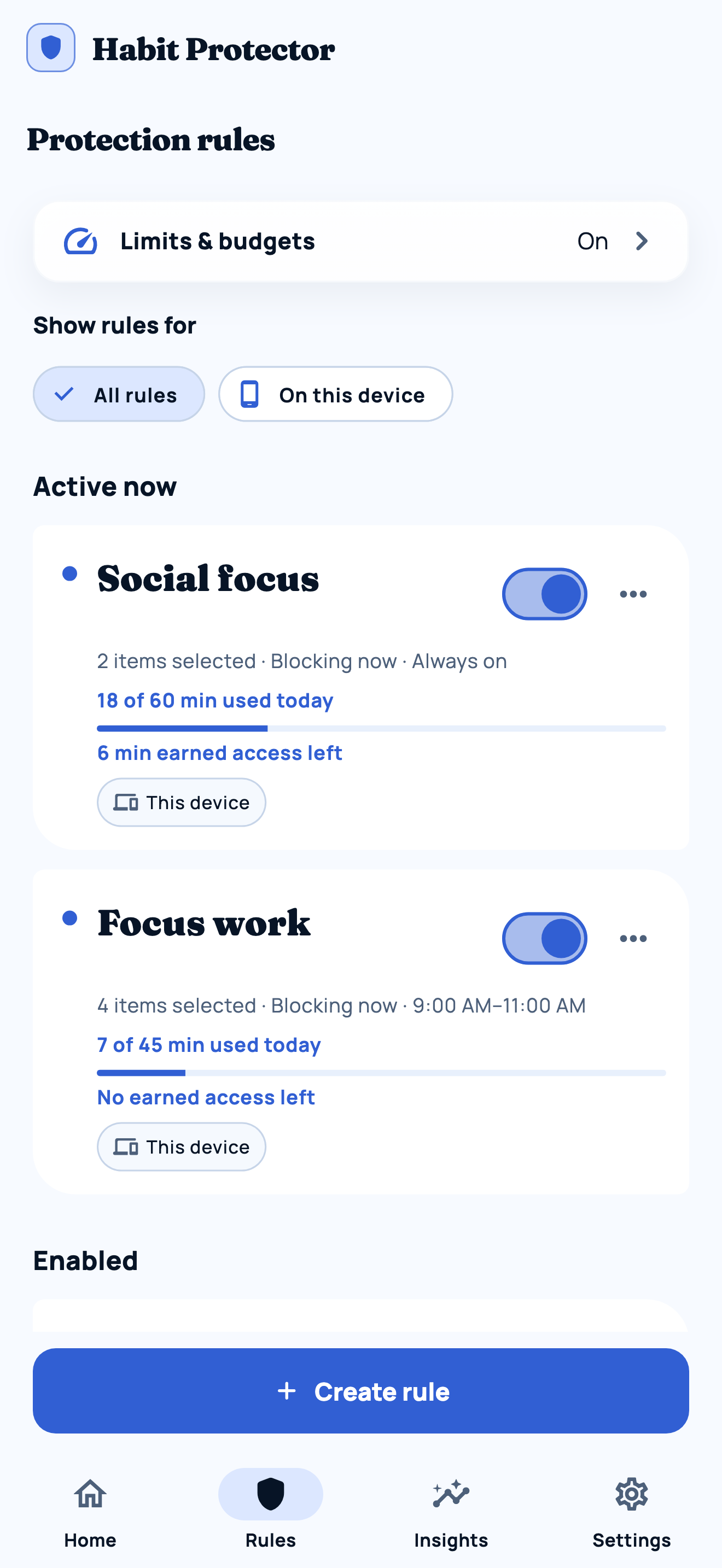
Pick the apps you open on autopilot. Protect them now, all day, or on a schedule.
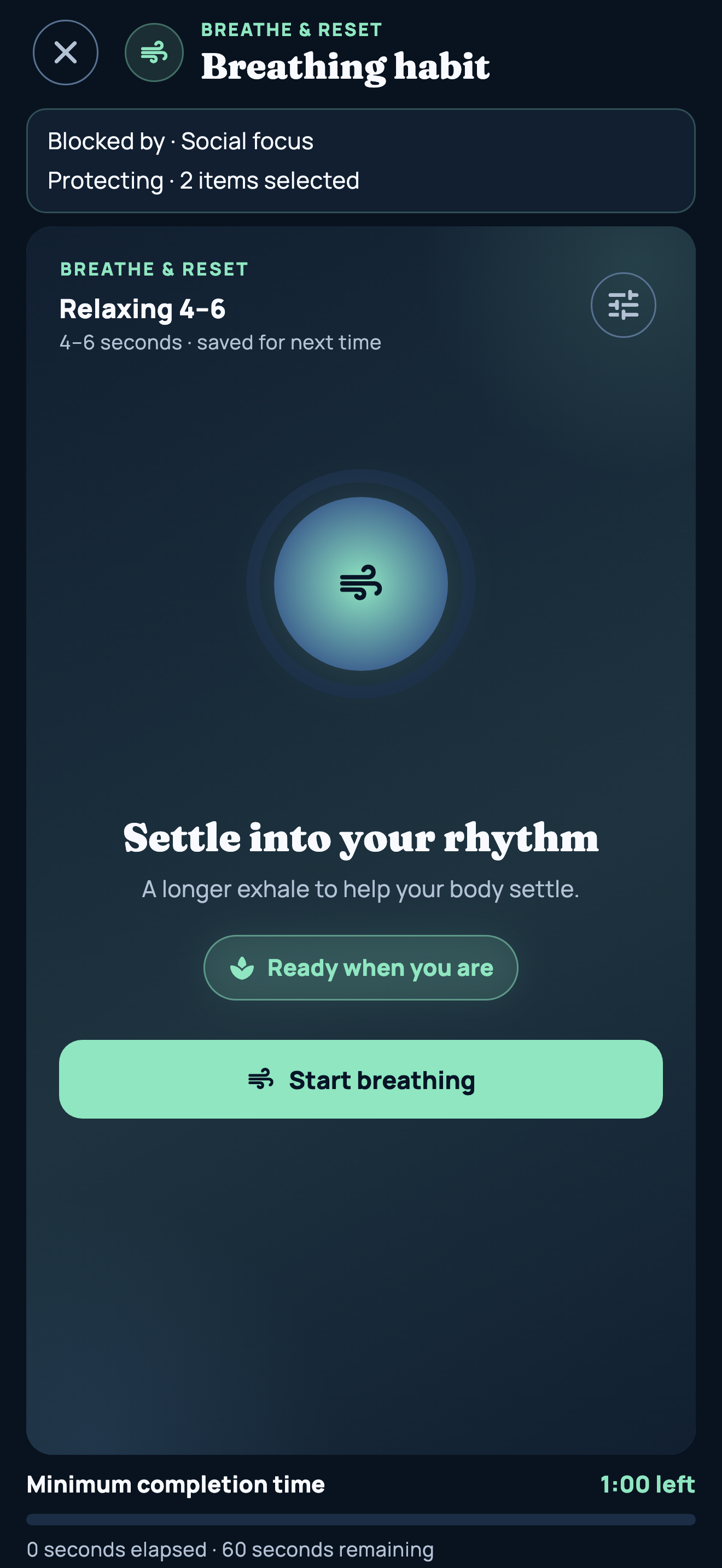
Choose breathing, grounding, movement, reflection, or a timer for your own habit.
Complete the goal. Your rule grants access, and you choose whether to use it.
Keep a local plan without creating an account. Built-in habits and local protection keep working offline.
Pro adds shared rules and supported sync across up to five of your own devices. Choose the apps locally on each device.
Set a recurring schedule, daily limits, and an earned access window that suits the habit you want to build.
Emergency Access gives you a local pause when you need one. Adjust your rules as your days change.
Permission setup and available habits differ by device. Here is what to expect.
Protect chosen apps with Apple Screen Time permission.
App protection with a clearly explained Accessibility setup.
Bring the same habit-first approach to distracting desktop apps.
Bring selected TV apps into your personal screen-time plan.
Windows support is coming soon. There is no Windows download yet.
You can start without an account. Selected app names and native identifiers stay on your device. Account sync is optional.
Read what we collectChoose apps, choose a habit, and set a rule. When protection is active, finish your habit in Habit Protector to earn the app access your rule allows.
With Pro, supported usage and rules can sync across up to five of your own devices, so a shared limit can include time from more than one screen. Select protected apps locally on each device. Sync requires internet and depends on platform permissions and background execution; it is not guaranteed to be instant.
Yes. Set up local protection without signing in. Local rules and built-in habits work offline after setup. Purchases, account sign-in, and syncing between devices need internet.
Free includes core local protection. Plus adds premium local habits, more capacity, advanced timing, Plan Lock and supported history views without an account. Pro adds cloud sync, backup, shared usage and remote habits across up to five active devices. See current plans and local prices in the app.
No. There are no ads, and app matching happens on your device. See the Privacy Policy for details about data use.
Check Google Play for Android availability. Pre-order for iPhone, iPad and Mac on the App Store. Windows support is coming soon. There is no Windows download yet. Android TV is included at launch; check Google Play on your TV for compatibility.
Practical guides to interrupt scrolling, choose a blocker, and set rules you can live with.
Build a shared screen-time plan for your phone, tablet, Mac and Android TV. Learn what counts, what syncs and how to test it.
Choose a small habit, protect one distracting app and define earned access. A practical guide to breathing, movement and custom-timer rules.
Include TV viewing in your screen-time routine. Compare personal app limits, Google TV kids profiles and shared limits across your own devices.
Different routines need different boundaries. Compare approaches using each developer’s published features. Written by the makers of Habit Protector.
Compare habit goals and earned access with one sec’s interruptions, blocking modes, and device support.
Compare Habit Protector’s habit-completion rules with Opal’s focus rules, focus timer, and supported devices.
Compare cross-device blocking sessions with habit-completion rules and earned app access.
Start with a boundary that is yours.